Product and document previews
Use PDF to PNG for a representative application or catalogue page. Resize a delivery copy while retaining the larger PNG as a working source.
Drop files here
Convert PDF to PNG when a page needs a broadly supported lossless raster image. TiPDF renders all pages or a validated selection on the current device, uses one of three resolution scales and creates a numbered PNG for each chosen page.
The PDF to PNG handler loads one document with PDF.js and calculates a viewport for each selected page. The renderer paints the visible page on an opaque white canvas, combining supported text, vectors, images, fills, and annotations into pixels. The PNG filename includes the source page number. Ten selected pages yield ten images, not one tall sheet or automatic ZIP.
PNG preserves the canvas pixels without JPEG compression. It suits interfaces, diagrams, line art, and text-heavy previews where compression ringing is distracting. The conversion is still rasterization, not a reversible vector copy. Text stops being selectable, curves gain finite pixel resolution, and links, tags, fields, layers, and bookmarks disappear.
A PDF to PNG converter renders complete pages instead of extracting embedded assets. A small photo appears with the surrounding report page. TiPDF does not crop regions, isolate illustrations, run OCR, or choose important pages. Use page selection for scope and a specialist workflow for original embedded image objects.
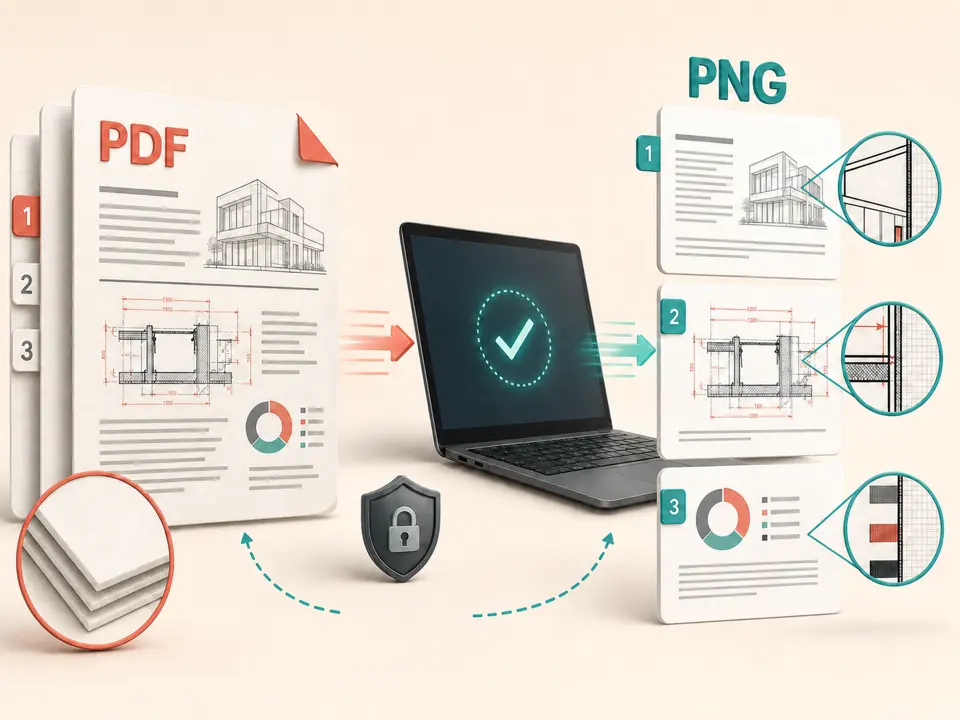
PDF to PNG accepts one authentic .pdf up to 100 MiB and 500 readable pages. TiPDF compares extension and signature and requires encrypted material to be unlocked before rendering. Empty, damaged, mismatched, or unreadable files are rejected. Page expressions include all, values, ranges, combinations, odd, and even.
Standard resolution uses scale 1, high uses 1.45, and very high uses 2. Scale 2 doubles both viewport dimensions and can create roughly four times the pixels of scale 1. These labels do not promise fixed DPI because page dimensions vary. Verify details at the final display size.
A rendered page may contain at most 80 million pixels, and the selection at most 250 million. Large drawings or many very-high-resolution pages can reach the limits quickly. Reduce scale or select fewer pages.
Estimate display dimensions and whether sharp edges justify PNG's often larger files. Do not choose very high resolution merely because the label sounds preferable.
Open the PDF in a reader and note actual file pages. Printed numbering can restart or omit covers.
Choose one PDF. The browser verifies its signature, byte size, password state, and maximum readable page count.
Enter all, pages, ranges, combinations, odd, or even, then select standard, high, or very high. Broad scale-2 selections use the pixel budget fastest.
TiPDF renders each page locally and saves one lossless artifact. Inspect dimensions, white backgrounds, thin lines, font edges, colors, and filename continuity.
Use PDF to PNG for a representative application or catalogue page. Resize a delivery copy while retaining the larger PNG as a working source.
PDF to PNG avoids JPEG ringing around sharp edges when a whole page must become an image. Confirm that the scale provides enough pixels for zoom.
Selected PDF pages to PNG can provide human-comparison snapshots. Browser renderer or font changes can still alter pixels, so this is not a universal print proof.
Send PDF pages to images only when software accepts PNG but not PDF. Semantic text, accessibility tags, and controls will be absent, so retain the original.
PDF to PNG compresses the final pixel grid without discarding pixel values, unlike JPEG. Photo-heavy pages can be much larger, while flat graphics may compress efficiently. Increasing scale adds samples but does not reveal absent detail or correct a blurred scan. The browser renderer still decides how supported features appear.
TiPDF creates an opaque white canvas, so output does not promise transparency even though PNG can store it. Unusual color spaces, overprint, missing fonts, or unsupported PDF features can differ from professional prepress rendering. Compare important images with a trusted viewer.
The PDF to PNG operation parses and renders the selected document in browser memory. TiPDF does not send its bytes or the resulting canvases to server conversion, AI, storage or sharing routes, and no remote-upload approval is requested. Ordinary website resources may still load over the network; the local claim concerns document data.
The active job disappears when the page is refreshed or closed, but downloaded PNG files remain on the device. TiPDF cannot erase them, manage their permissions or prevent forwarding. A set of separate pages can expose content outside the context of the original document, so check every image and destination before distribution.
The PNG encoder preserves rendered canvas pixels. The PDF page is still rasterized, so vectors, selectable text, and interactivity are not preserved.
No promise is made. TiPDF uses an opaque canvas filled white before rendering.
It uses viewport scale 2, but that is not a fixed-DPI or print guarantee. Inspect the output at its final size.
Yes. Use pages, ranges, combinations, odd, even, or all, subject to page and pixel limits.
Yes. The local workflow has no account or checkout requirement. File, page, and pixel limits still apply.
JPG can be much smaller for photographic pages when loss is acceptable. PNG better preserves crisp rendered edges.
Combine up to 100 PNG files locally into one ordered A4 PDF with white transparency flattening.
Render all or selected PDF pages locally as separate JPG images at one of three quality levels.
Use Crop PDF to inset all or selected page boxes by one uniform point margin locally.
Validate and open one PDF locally, report its page count and retain the unchanged original bytes.
PDF to PNG capability copy was verified on July 18, 2026 against the pdf-to-png registry, PDF.js renderer, opaque canvas setup, lossless encoder, three viewport scales and pixel limits. Claims cover local page rasterization without promising transparency, OCR or vector preservation.