Searchable archives
Use OCR PDF to add a text layer to scanned reports. Recognition improves discovery but does not meet every archival or accessibility standard.
Drop files here
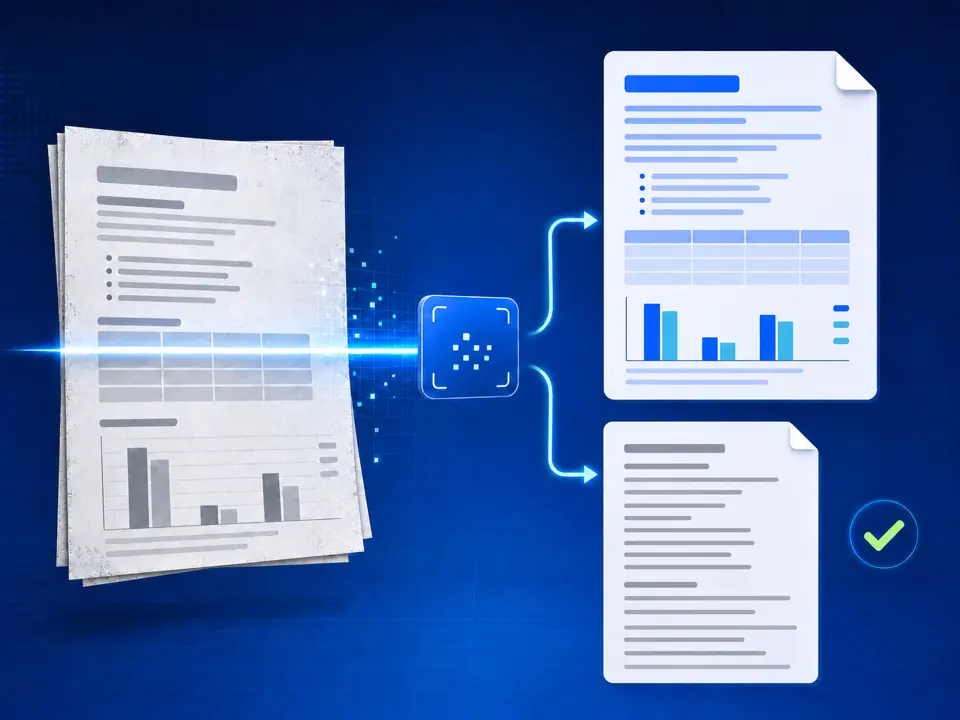
OCR PDF scans or supported document images when their words are trapped in pixels. TiPDF runs Tesseract in a browser worker, then provides both a searchable PDF and page-grouped TXT output.
When the input is a PDF, TiPDF first renders every page as a high-resolution image. Image inputs are used directly. The OCR PDF handler then loads Tesseract.js with the selected language model and LSTM-only recognition engine. Each page is recognized separately, producing extracted text and a Tesseract PDF layer that retains the page image with searchable text coordinates.
TiPDF combines the per-page OCR PDFs into one searchable PDF. It also creates a UTF-8 text file with visible Page markers between recognition results. The two outputs serve different purposes: the PDF keeps a visual page reference and enables search or selection where recognition succeeds; TXT makes the words easier to inspect, copy and process, but does not preserve layout.
This is optical character recognition, not semantic document reconstruction. The engine does not recreate Word styles, spreadsheet cells, reading order tags or accessible form controls. A searchable PDF can still contain incorrect words, and its hidden text may not match the page perfectly. The visible image remains the evidence to check.
OCR PDF accepts one PDF or supported JPG, PNG, BMP, GIF, HEIC, TIFF, or WebP input. Local files can be up to 100 MiB, while decoded images use shared pixel limits. PDF pages render at high resolution. More than 50 pages or frames stops with a limit error.
OCR PDF language choices are English (eng), Simplified Chinese (chi_sim), or both (eng+chi_sim). A mixed model loads more data and can take longer. The interface does not offer Traditional Chinese, handwriting models, custom dictionaries, orientation controls, or arbitrary Tesseract languages.
An OCR PDF result must contain at least one searchable page. If Tesseract creates no PDF data, TiPDF reports an error instead of returning an empty document. Cancellation terminates the worker. Multi-frame images can create several recognition inputs, so check page count first.
Use a straight, well-lit scan with adequate resolution. Crop irrelevant backgrounds and correct severe rotation; recognition cannot restore clipped or blurred characters.
Select one supported file. TiPDF validates size and format locally, then renders PDF pages or prepares image frames. Jobs are limited to 50 recognition pages.
Choose English, Simplified Chinese, or both based on the actual page. The wrong model can turn valid characters into plausible but incorrect output.
The browser loads Tesseract language data, recognizes each page, and combines the searchable page PDFs. Progress reports model preparation and current page.
Search for several names and numbers, then compare TXT with the visible page. Correct critical information downstream and preserve the scan as the authoritative source.
Use OCR PDF to add a text layer to scanned reports. Recognition improves discovery but does not meet every archival or accessibility standard.
Extract text from scanned PDF pages into TXT, then compare quotations, dates, and names character by character. Never cite unreviewed OCR as authoritative.
Run OCR PDF with the combined model for genuinely bilingual pages. A page dominated by one language may be more accurate with its dedicated model.
Use OCR PDF before PDF to Word or PDF to Excel when a scan has no embedded text. The later converter still cannot reconstruct complex layout or guarantee numeric accuracy.
Accuracy depends on resolution, focus, contrast, language, orientation, typography and page complexity. Faint fax text, handwriting, stamps, curved pages, dense tables and decorative fonts are difficult. Common errors include O versus 0, l versus 1, punctuation loss, merged columns and incorrect Chinese characters. Confidence is not a substitute for review.
The searchable PDF is assembled from Tesseract's page PDFs, while the text file records page-separated recognition. The tool does not correct spelling, infer missing content or compare totals. Search may fail for a misrecognized word even though the image looks readable. For legal, medical or financial use, validate every material field against the scan.
Document rendering and recognition run on the current device through browser code and a Tesseract worker. The handler does not send the selected document to conversion, storage, sharing or AI endpoints and does not request upload approval. Tesseract language data and normal site resources may still be fetched over the network, so local processing does not mean the whole page works offline.
Reloading clears the active job; downloaded searchable PDF and TXT files remain on the device. TiPDF cannot delete local files, clipboard copies, backups or later shares. Plain text can expose sensitive content more directly than a scan, so protect both outputs.
The searchable output keeps a rendered page image and adds recognized text data. It is a derivative, not the original PDF object structure.
Not in one job. The current limit is 50 rendered pages or image frames. Split a permitted source into reviewed batches.
The selected document stays in browser processing, while Tesseract language data can download over the network. That makes free online OCR available without sending the document to an AI endpoint, though model assets still load.
English, Simplified Chinese, and a combined option. Other languages are not exposed by this page.
No. Scan quality and layout affect recognition. Check names, numbers, tables, and quotations against the page.
Yes as a separate next step, but PDF to Word extracts simple paragraphs and does not recreate the scan's layout.
Apply a fixed document-style treatment to existing images and assemble them as one image-based PDF.
Extract embedded PDF text into a simple editable DOCX organized by source page.
Extract embedded PDF text into column A of one worksheet per source page.
Ask one focused question about locally extracted PDF text after reviewing and approving the transfer.
OCR PDF capability copy was checked against the Tesseract worker, high-resolution renderer and 50-page limit on July 18, 2026. The implementation produces a PDF with recognized text plus a TXT artifact; accuracy, layout reconstruction and unsupported languages are not promised.