Legacy scan batches
Use TIFF to PDF for multipage scanner output without discarding later TIFF directories. OCR remains a separate step.
Drop files here
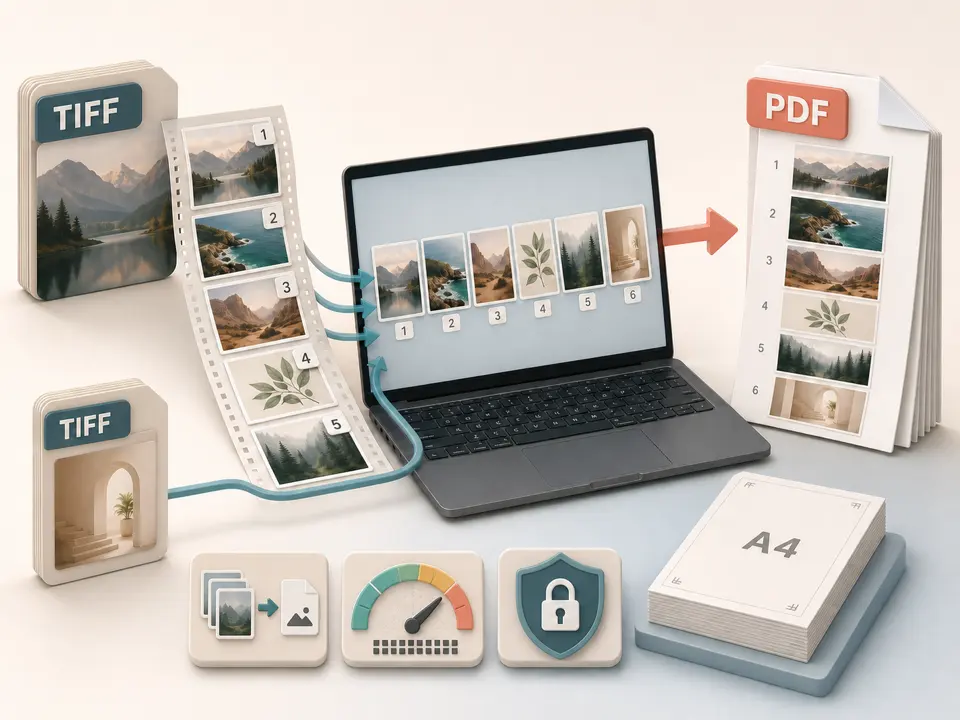
Convert TIFF to PDF when single-page or multipage image files need one document. TiPDF decodes every TIFF directory locally, places each frame on its own ordered A4 page and returns one PDF.
A TIFF file can contain several image file directories, often called pages or frames. The TIFF to PDF handler lazy-loads the UTIF decoder, reads every directory, decodes its image data and converts it to an RGBA canvas. TIFF to PDF does not stop after the first preview. A five-directory TIFF creates five PDF pages; two selected TIFF files can contribute different numbers of pages to the same result.
After TIFF to PDF decoding, TiPDF converts each canvas to JPEG at quality 0.9, embeds it and centers it on an A4 portrait page with a 24-point margin. The frame keeps its aspect ratio, scales down when necessary and is not enlarged beyond its decoded dimensions. The source TIFF compression, bit depth and internal tags are not preserved as TIFF structures in the PDF.
The TIFF to PDF converter follows selection order between files and directory order within each file. It does not inspect dates, document labels or visual content to rearrange frames. Page count can exceed the number of selected filenames because one TIFF may be multipage. Review both the reported result and the finished TIFF to PDF sequence rather than assuming one input equals one page.
Choose between 1 and 100 files ending in .tif or .tiff for TIFF to PDF processing; the shorter alias is normalized. Every local file can be at most 100 MiB and must carry a TIFF signature. Empty, renamed, damaged or undecodable sources are rejected. TIFF supports many variants, so a genuine signature does not guarantee that UTIF can decode every compression, color model or unusual tag combination.
Each TIFF to PDF directory may contain at most 80 million pixels. The complete job may contain at most 250 million pixels across every frame in every selected file. These limits protect browser memory after decompression, when an apparently modest TIFF can expand dramatically. Reduce the batch or image dimensions if the safety ceiling is reached.
TIFF to PDF output pages are fixed A4 portrait, about 595.28 by 841.89 points, with 24-point margins. There are no controls for Letter, landscape, custom margins, crop, frame selection, background color or JPEG quality. The output filename is based on the first input and gains an images suffix for a multiple-file selection.
Open each TIFF in a viewer that exposes every directory. Note the expected total, not just the number of filenames.
Arrange files with sortable names and correct rotations in the source where possible. TiPDF does not provide a frame reorder or rotation interface here.
Choose up to 100. The TIFF to PDF browser workflow verifies extensions, signatures, byte limits and decoded pixel dimensions.
UTIF decodes every directory, TiPDF encodes each canvas as JPEG and adds one centered A4 page in local memory.
Compare the PDF page count with the expected frame total and review orientation, fine text, colors, background appearance, page order and image scaling. Keep the original TIFF files.
Use TIFF to PDF for multipage scanner output without discarding later TIFF directories. OCR remains a separate step.
Create a convenient derivative for ordinary viewing. Preserve the original when TIFF tags, bit depth, compression or archival policy matter.
Combine approved TIFF frames into a page-based review copy. The JPEG embedding and browser color path are not a color-managed production proof.
Submit a PDF when the receiving system cannot open TIFF. Confirm its resolution, page-size, accessibility and file-size requirements afterward.
Every decoded RGBA frame is converted to JPEG at quality 0.9 before PDF embedding. This is lossy and can alter fine monochrome text, line art or photographic detail. Alpha transparency cannot be preserved in JPEG, and this TIFF path does not explicitly paint a chosen background before encoding; inspect transparent or unusual frames instead of assuming a particular background result.
TIFF metadata such as scanner tags, multiple resolutions, color profiles, compression details and private fields are not reproduced as equivalent PDF semantics. The page is image-based, so visible words do not automatically become searchable or selectable. Run OCR separately when needed and validate the recognized text.
The TIFF to PDF task decodes frames and builds the document in browser memory on the current device. Source bytes are not sent to server conversion, AI, storage or sharing routes, and no upload approval is requested. The decoder is lazy-loaded as an application asset; normal site resources may use the network.
Refreshing ends the active task, but the source TIFF files and downloaded PDF remain on the device. TiPDF cannot delete them or prevent forwarding. Multipage sources can contain later frames that are easy to overlook, so review every directory for sensitive content before distribution.
The handler decodes every directory that UTIF reports, not only the first one.
Yes. This local browser workflow has no account or checkout requirement, subject to the file and decoded-pixel limits.
Yes. Each decoded TIFF directory becomes its own A4 page.
Not during conversion. Run OCR separately and verify the recognized text against every image page.
No. Each frame is encoded as JPEG at quality 0.9 before embedding.
Not on this route. Prepare a separate TIFF or use another image workflow when a subset is required.
Apply a fixed document-style treatment to existing images and assemble them as one image-based PDF.
Recognize English or Simplified Chinese locally and download searchable PDF plus plain text.
Use Image to PDF for mixed supported formats with one local A4 page per decoded canvas.
Combine JPG or JPEG images locally into one ordered A4 PDF with one image per page.
TIFF to PDF capability copy was verified on July 18, 2026 against the tiff-to-pdf registry, UTIF directory loop, RGBA canvases, JPEG 0.9 embedding, A4 placement and pixel limits. Claims cover every decodable directory without promising lossless metadata or transparency handling.