Presentation references
Use PDF to PPT for complete report pages in a discussion deck. Add separate callouts instead of expecting source text boxes.
Drop files here
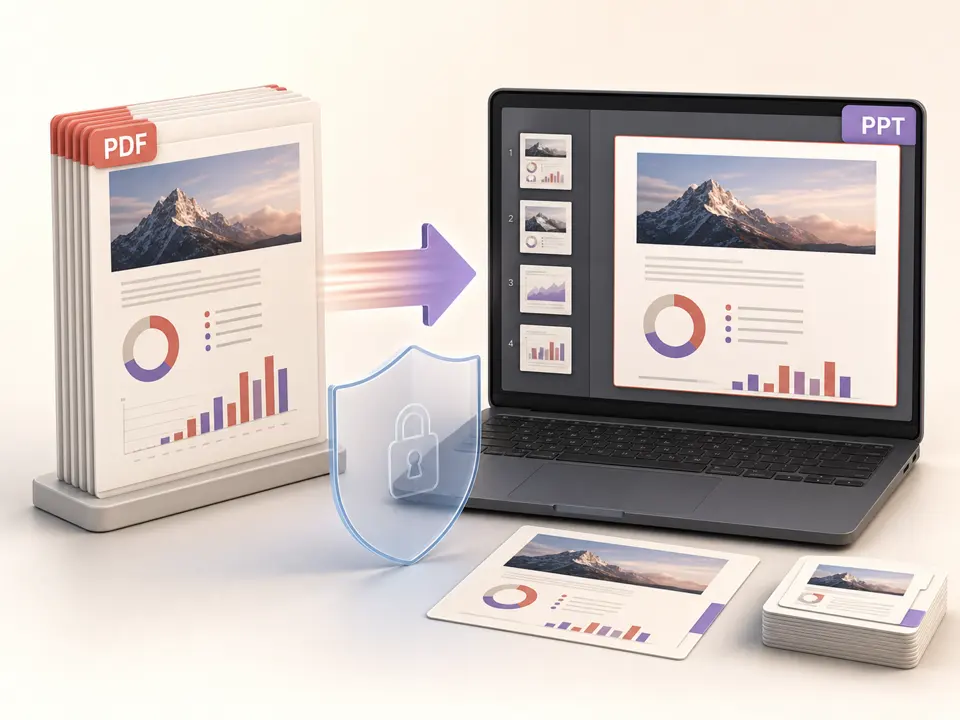
Convert PDF to PPT when complete pages need to appear in a presentation deck. TiPDF renders every page locally at high quality and places each result as one contained image on its own 16:9 PPTX slide.
The PDF to PPT workflow renders every source page with PDF.js at scale 2 and JPEG quality 0.9. It has no page-range control; the deck receives the complete document. TiPDF creates a 13.333 by 7.5 inch wide PPTX, gives each slide a white background, and adds one contained page image.
Contain sizing preserves page aspect ratio. Portrait pages normally have side space, while landscape pages use more of the slide. Images are not stretched to fill both dimensions. Mixed page sizes produce different white-space amounts. There are no crop, alignment, or background controls.
A PDF to PPT converter built this way preserves visible page arrangement but does not reconstruct authoring objects. Text, charts, vectors, photos, and annotations flatten into one JPEG layer. They cannot be selected as separate text boxes, charts, or shapes. The slide can move or accept overlays, but internal elements are not editable.
PDF to PPT accepts one genuine .pdf up to 100 MiB and 500 readable pages. Extension and signature must match, and protected content must be unlocked with permission. Empty, damaged, renamed, or unsupported documents are rejected.
Every page renders at viewport scale 2 and JPEG quality 0.9. One page may not exceed 80 million pixels, and a job may not exceed 250 million. Long or large-format PDFs can hit the ceiling before 500 pages. There is no lower-resolution or partial-page option.
The PDF to PPTX result uses the source basename, a widescreen ratio, and one image per slide. It has no source attachment, speaker notes, generated titles, transitions, animations, or derived theme. PDF to PowerPoint here means a page-image deck, not recovery of an original presentation.
Confirm that every page belongs in the deck. The handler exports all pages and offers no range field.
Expect portrait pages to sit within widescreen slides with side space. Reformat the source for full-bleed slides.
TiPDF validates signature, size, encryption state, and readable page count locally before rendering.
The browser renders scale-2 pages, encodes high-quality JPEGs, and places each image on a separate wide slide with contain sizing.
Verify slide count, legibility, white space, and colors. Page content is one image, so keep the original PDF for searchable text and document features.
Use PDF to PPT for complete report pages in a discussion deck. Add separate callouts instead of expecting source text boxes.
PDF to PPT can present a document with familiar slide controls. Small document text may remain hard to read on a projected widescreen canvas.
Store a PDF to PPT snapshot only when editability is unnecessary. The PPTX is larger and less searchable than the source, so retain both.
Place new shapes or notes over the page image in presentation software. Overlays do not alter the flattened image and are not PDF edits.
PDF to PPT uses scale 2 and JPEG quality 0.9, but JPEG remains lossy. Tiny type, thin lines, and diagrams can show raster limits when enlarged. The converter cannot add detail absent from a scan, and unusual color, transparency, or font features can differ from specialist print software.
The deck is not an editable PowerPoint reconstruction. Searchable text, links, controls, accessibility tags, layers, and vectors become pixels. Certificate signatures and metadata do not transfer as slide semantics. For editable PowerPoint elements, obtain the original presentation or rebuild slides from authorized assets. Test the downloaded deck in the presentation software and display environment that the audience will actually use.
The PDF to PPT job renders the document and builds its presentation in browser memory. Source bytes and slide images are not sent to server conversion, AI, sharing or storage routes, and no upload approval is requested. Ordinary application resources may still load over the network; the local statement concerns the selected document.
Refreshing ends the active task, but the source and downloaded PPTX remain on the device. TiPDF cannot delete them or prevent forwarding. A slide deck can make page images easier to extract and reuse, so apply suitable destination permissions and avoid embedding confidential pages that are not needed.
No. Each PDF page is one JPEG image layer. Text and charts are not separate objects.
Not on this route. The handler renders every page at the fixed high setting.
The local page-image workflow has no account or checkout requirement. File, page, and pixel limits apply.
The PPTX uses a 13.333 by 7.5 inch widescreen layout.
No. Contain sizing keeps aspect ratio, so portrait pages usually have side space.
No. The page becomes a static image; transitions, notes, and editable PDF behavior are not generated.
Upload one approved PPT or PPTX to the configured service and receive a static PDF rendering.
Render all or selected PDF pages locally as separate JPG images at one of three quality levels.
Validate and open one PDF locally, report its page count and retain the unchanged original bytes.
Route one supported file through the appropriate local or approved remote conversion path.
PDF to PPT capability copy was verified on July 18, 2026 against the pdf-to-ppt registry, fixed high-quality PDF renderer and PptxGenJS builder. Claims reflect all-page JPEG rendering, 16:9 contain sizing and one image per slide without promising editable elements.